


The gap between a good static post and a video that actually stops the scroll is smaller than most people think. AI-powered image-to-video tools have made it practical to generate short, motion-driven clips from photos you already own — no crew, no location, no editing timeline.
The hard part isn't finding a tool. It's finding the right one. This list cuts through the noise with ranked picks across speed, output quality, ease of use, and fit for social media workflows.
What Makes a Good Image-to-Video App?
Before the rankings, here's the framework used to evaluate each tool:
- Speed — time from upload to first usable output
- Output realism — how natural the motion looks on actual source photos
- Ease of use — whether a non-editor can get good results in under ten minutes
- Format flexibility — support for vertical, square, and widescreen exports
- Pricing clarity — whether free tiers and paid plans are genuinely useful
Quick Comparison at a Glance
For marketers who need fast, realistic motion without a steep learning curve, Pollo AI earns the top spot — see what Pollo AI's image to video workflow looks like before reading the full breakdown below. The free tier is generous enough to validate the output quality on your own assets.
AI Video Tools Comparison
| App | Best For | Ease of Use | Output Style | Ideal User |
|---|---|---|---|---|
| Pollo AI | Marketing visuals, fast iteration | ★★★★★ | Cinematic, realistic | Marketers, solo creators |
| Runway | Creative and stylized content | ★★★★☆ | Artistic, flexible | Designers, filmmakers |
| Kling AI | Realistic portrait and product | ★★★★☆ | High-realism | E-commerce teams |
| Pika | Social-first short clips | ★★★★★ | Playful, vibrant | Content creators |
| Luma Dream Machine | Scene-based generation | ★★★☆☆ | Cinematic | Video professionals |
| InVideo AI | Prompt-to-video with templates | ★★★★☆ | Template-driven | Marketers |
| Canva Video | Branded social content | ★★★★★ | Clean, minimal | Small business owners |
| Adobe Express | Brand consistency | ★★★★☆ | Professional | In-house teams |
| Synthesia | Presenter-led video | ★★★☆☆ | Corporate style | Training, HR |
| Mango Animate | Template-based animation | ★★★★☆ | Illustrated, animated | Explainer content |
Top 10 App Picks
1. Pollo AI — Best Overall for Fast Marketing Visuals
 Top 10 Apps for Turning Images into Videos for Social Media
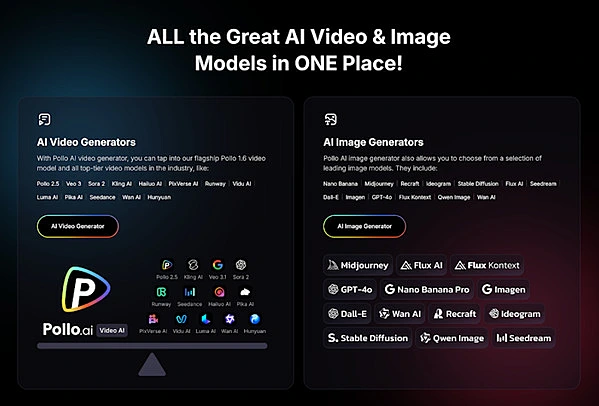
Pollo AI stands out for its combination of speed and output quality on standard marketing photos. Upload a product image or portrait, describe the motion you want, and receive a usable clip within minutes. It's a strong image-to-video option for fast marketing content — meaning teams that need multiple variations quickly, not just one polished hero video. The free tier is generous enough to validate the output quality on your own assets before committing to a plan.
2. Runway — Best for Creative and Stylized Outputs
 Top 10 Apps for Turning Images into Videos for Social Media
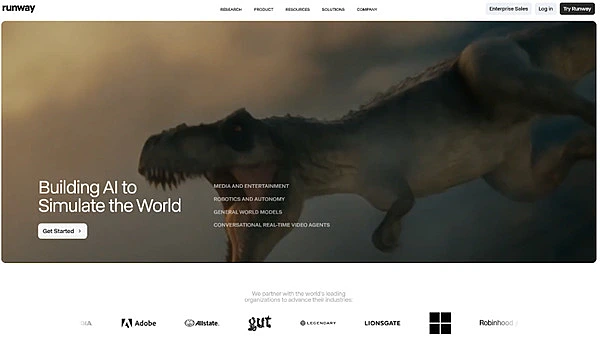
Runway's Gen-3 model gives creators significant control over motion style and frame transitions. It handles abstract and artistic inputs well, though the learning curve is steeper than most tools on this list. Better suited to designers and filmmakers than to high-volume marketers.
3. Kling AI — Best for High-Realism Portrait and Product Shots
 Top 10 Apps for Turning Images into Videos for Social Media
Kling AI produces consistently realistic motion on portrait and product photography, with less distortion around fine details like hands and hair. It performs especially well on e-commerce shots where maintaining product fidelity matters.
4. Pika — Best for Playful, Social-First Content
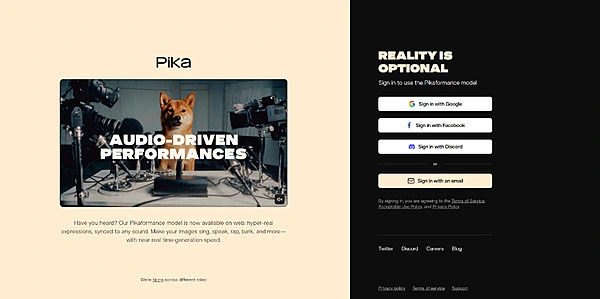
Pika is fast, beginner-friendly, and generates clips that work natively on Instagram and TikTok without additional formatting. Output style skews vibrant and motion-forward — ideal for entertainment and lifestyle content, less suited to corporate or brand-serious contexts.
5. Luma Dream Machine — Best for Scene-Based Cinematics
Luma's tool excels when the source image has depth and environmental context — outdoor scenes, architecture, lifestyle photography. It struggles more with tight product shots or simple portraits.
6. InVideo AI — Best for Prompt-to-Video Marketers
InVideo lets you describe a video concept in plain text and builds a draft around it, pulling in stock media or user-uploaded images. Useful for content marketers who want structure and template support alongside AI generation.
7. Canva Video — Best for Branded Social Clips
If your team already works inside Canva, its video tools require almost no onboarding. Output is clean and brand-consistent, though the AI motion generation is more basic than dedicated video tools.
8. Adobe Express — Best for In-House Brand Teams
Adobe Express sits between Canva and Premiere in terms of control. Teams already invested in the Adobe ecosystem get the most value — asset libraries sync automatically, and brand kits carry over cleanly.
9. Synthesia — Best for Presenter-Led or Training Video
Synthesia specializes in AI-presenter video rather than image animation. If your use case involves talking heads, corporate training, or onboarding content, it's worth evaluating separately from this list.
10. Mango Animate — Best Companion for Template-Based Animation
Best Picks by Use Case
Best for Beginners
Pollo AI or Pika. Both require no prior video experience and return usable results from a single image upload.
Best for Social Media Managers
Canva Video or InVideo AI — especially if you're managing multiple brand accounts and need consistent templates at scale.
Best for Product Promos
Pollo AI or Kling AI. Both handle product photography with enough realism to use in paid social without obvious AI artifacts.
Best Companion Animation Tool
If your workflow requires template-based motion graphics, illustrated explainers, or scene-by-scene animation sequences that go beyond single-image generation, a companion tool like Mango Animate fills that gap. It works well alongside an AI video generator when you need structured animation layers that pure image-to-video tools don't support.
How to Choose the Right App for Your Workflow
If You Need Speed Above Everything
Pollo AI, Pika, or Canva Video. All three return outputs quickly and require minimal setup per clip.
If You Need Precise Creative Control
Runway or Luma Dream Machine. Both allow more granular input, though they reward users who invest time in prompting.
If You Need Social-Ready Exports Instantly
Pika or InVideo AI. Both format outputs for common social aspect ratios without manual resizing.
Final Verdict
There's no universal best tool — but there is a best fit for your specific situation. For marketers who need fast, realistic motion from product or portrait photography, Pollo AI consistently delivers without requiring a steep learning curve. For teams that need companion animation support, pairing it with a template-based tool covers the gaps a single generator can't fill.
Test one or two tools on your actual assets before settling. What works on demo images doesn't always translate to your specific photography style.

