


Meta Business Suite is a complete tool for those who want to use social media not only to create content but also to generate better business opportunities.
Today, companies need to deal with multiple touchpoints, respond to customers quickly, and analyze data to make strategic decisions.
In this scenario, Meta Business Suite emerges as a centralized solution to manage Facebook and Instagram profiles. However, although it is a powerful and simple tool, it is essential to understand how to use it daily to achieve conversion goals.
To make this possible, we created a complete guide where you will understand not only what Meta Business Suite is, but also how to use Meta Business Suite strategically.
What is Meta Business Suite?
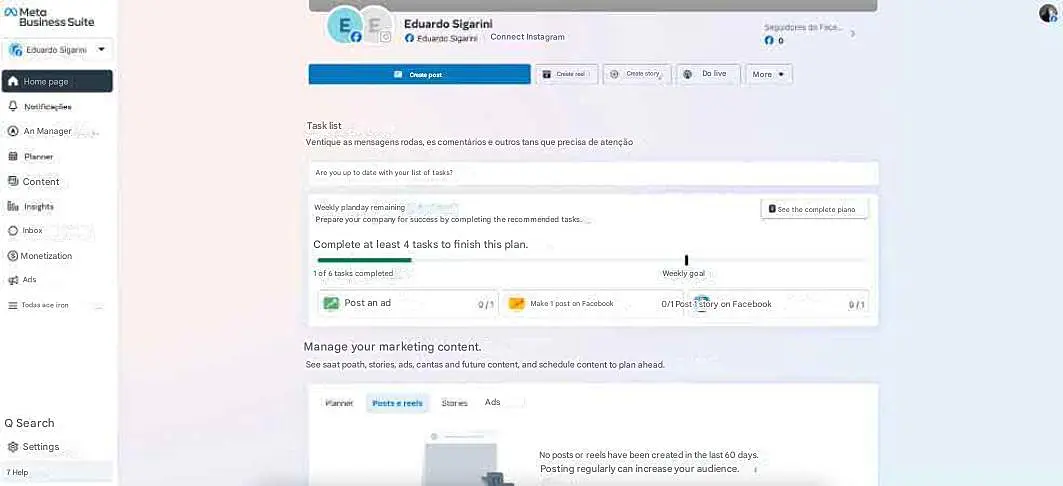
Meta Business Suite is Meta’s official platform designed for businesses that want to manage social media in an integrated way.
In practice, it works as a unified dashboard where you can control:
- Posts
- Audience interactions
- Performance data
- Paid campaigns
Instead of accessing Facebook and Instagram separately, the tool centralizes operations, making it one of the main social media management tools today.
A major advantage for businesses is the ability to grant access to specific team members based on their roles in the social media marketing team.
Additionally, you can give employees access to certain pages without granting full ownership of your Facebook business account.
In other words, Meta Business Suite is an essential tool for those who invest heavily in social media and want results.
How does Meta Business Suite work in practice?
The answer lies in integration. After connecting your accounts, you can manage Facebook and Instagram together in a single dashboard.
Unified inbox
The Meta Business Suite inbox gathers:
- Messenger messages
- Instagram Direct messages
- Comments
This improves customer service on social media, although it may present limitations as volume grows.
Content planning and scheduling
One of the most searched features is how to schedule posts in Meta Business Suite. With this feature, you can:
- Plan content in advance
- Organize posts in a calendar
- Maintain consistency
Post scheduling is essential for organic growth and content strategy.
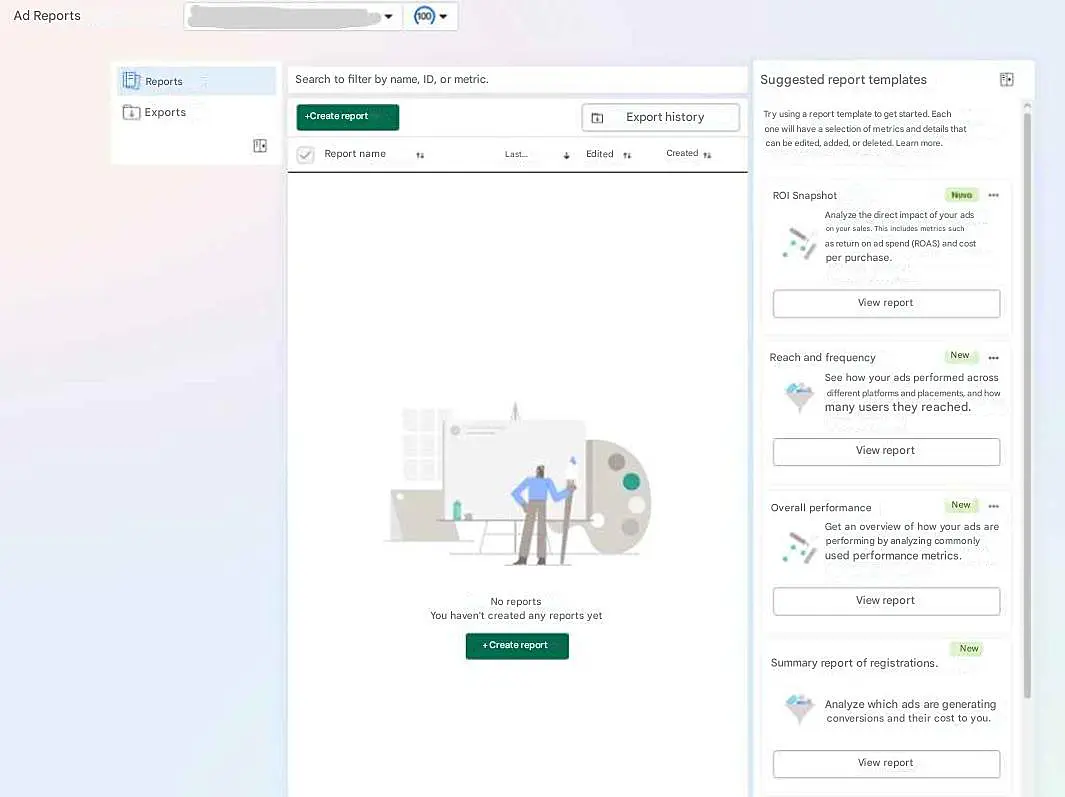
Metrics analysis and insights
Meta Business Suite insights allow you to track:
- Reach
- Engagement
- Growth
- Best posting times
- Consistency
- Performance improvement
These data points are essential for improving social media engagement and making strategic decisions.
Ads creation
The ads feature in Meta Business Suite goes beyond boosting posts — it allows you to turn content into real strategies for reach, engagement, and conversion.
You can create campaigns by choosing goals such as:
- Increase post reach
- Generate interactions (likes, comments, shares)
- Drive website traffic
- Capture leads or start conversations
You can also define target audience, budget, and campaign duration.
How to set up your account in Meta Business Suite
Advertising on Instagram and Facebook remains one of the most effective ways to expand your brand reach and attract new customers. To start using the platform’s full potential, you need to set up a business account, and a few key steps are essential.
1. Set up your Facebook Business account
The first step is to create a business profile in Business Manager. To do this, log in to your personal Facebook account and access the business section. There, click on the option to create an account and fill in the requested information, such as your company name, your full name, and a business email.
After registration, confirm your email. Once verified, your business account will be active and ready to use.
2. Link other accounts and assets
To optimize management, connect all your digital assets to Business Manager. This includes Facebook Pages, Instagram accounts, WhatsApp Business accounts, as well as tools like Pixel and ad accounts.
You can create new Pages, claim existing ones, or request access to partner Pages. For Instagram, the process involves logging into the desired account within the platform. You can also add multiple profiles or ad accounts as needed.
3. Set permissions and add team members
One of the advantages of Meta Business Suite is access management. This means you can add collaborators and define what each person can do. To do this, go to the "People" section in settings and add the email linked to the user’s Facebook account.
Define whether the access will be as an admin, with full control, or as an employee, with limited permissions such as creating ads, publishing content, or replying to messages. The invitation will be sent by email, and once accepted, access will be granted.
4. Use the mobile app for more flexibility
If you are not always on a computer, it is worth installing the Meta Business Suite mobile app, available for Android and iOS. With it, you can monitor campaigns, reply to messages, publish content, and analyze metrics directly from your phone.
This mobility makes brand management easier, especially for entrepreneurs with more dynamic routines.
By following these steps, your business account will be ready to run campaigns, track results, and integrate communication channels. With proper setup, Facebook becomes a powerful channel to expand your brand visibility and generate more business opportunities.
Tips to make the most of Meta Business Suite
After understanding what Meta Business Suite is and how to use this tool, it is important to know how to maximize its features to achieve consistent results.
Below are essential practices to boost your campaigns:
Define clear campaign goals
Before creating any post or ad, it is essential to understand what you want to achieve.
Ask yourself:
- Do I want more reach or more sales?
- Is my focus on engagement or lead generation?
Defining clear goals directly improves ad performance in Meta Business Suite and prevents budget waste.
Use data to better target your audience
One of the biggest advantages of the platform is its targeting capabilities. Use available data to create custom audiences, refine interests and behaviors, and target campaigns more accurately.
This makes your social media digital marketing efforts much more efficient.
Install Facebook Pixel
Facebook Pixel is an essential tool for those who want to improve their campaigns.
By installing Pixel, you can track user actions on your website, create more qualified audiences, and optimize campaigns based on customer behavior.
This significantly improves your paid traffic and conversion results.
Run A/B tests consistently
Testing is essential to understand what really works. Try variations of:
- Creatives (images and videos)
- Copy (texts)
- Audiences
- Call-to-action (CTA)
A/B testing is one of the most effective ways to optimize campaigns within Meta Business Suite.
Create truly relevant content
When creating posts for Meta Business on social media, it is important to prioritize content that delivers value to your audience.
To do this, you must understand your target audience and what type of content will guide customers through the buyer’s journey.
Also, don’t forget that using artificial intelligence is an excellent ally in content creation.
Automate your Instagram customer service with JivoChat
Even without a native feature on Instagram to create a chatbot, it is possible to automate customer service and speed up responses by integrating your account with specialized tools.
JivoChat offers an Instagram integration that allows businesses to connect their Instagram business profiles to the platform’s dashboard, centralizing direct messages, mentions, and reactions received on the profile. This integration simplifies customer service and social media interaction management.
The tool includes features such as tag categorization, filters, and keyword search, making it easier to organize conversations and ensuring that important contacts are not overlooked.
Automation allows you to automatically respond to frequently asked questions, freeing up your team to focus on conversations that require personalized attention.
Another benefit is security: agents can work within the system without needing to log directly into Instagram, as the entire process is managed through JivoChat.
By using the official Messenger API, the integration is stable and reliable, allowing you to manage all interactions from an intuitive dashboard.
Additionally, the platform provides complete reports with metrics such as average response time and message volume, helping evaluate performance and identify areas for improvement in customer service

