


Video content is everywhere — from YouTube and TikTok to online courses, podcasts, and brand storytelling. But with so much competition for viewer attention, creators and businesses need every advantage they can get.
That’s where automatic subtitle generators come in. Powered by advanced speech-to-text AI, these tools instantly turn audio into accurate, readable captions that boost accessibility, increase engagement, and improve video SEO.
Whether you’re a marketer, content creator, educator, or business owner, choosing the right subtitle generator can save hours of manual work and help your videos reach a wider audience.
In this guide, we compare the best automatic subtitle generators of 2026, highlighting features, so you can find the perfect tool for your needs.
What Is An Automatic Subtitle Generator?
An automatic subtitle generator is a type of software that uses speech recognition technology to transcribe conversations. The subtitles are added to the video without you having to write down the speech and sync the transcription with the images.
Most of the automatic subtitle generators enable you to edit the subtitles, for example, by changing the font type, color, and size. Some of them are AI-powered, which means they are trained with a large amount of audio files to improve the accuracy of converting audio to text and diminish errors.
Most modern tools now support:
- AI-based speech-to-text transcription
- Automatic timestamp syncing
- Style and formatting customization
- Multi-language support
- Subtitle exporting (SRT, VTT, TXT)
- Auto translation
- Burned-in captions for social media
Because subtitles make videos more accessible and easier to understand — especially when muted — they significantly increase watch time and engagement.
How An Automatic Subtitle Generator Works
Automatic subtitle generators are easy to use; the best ones provide you with an intuitive interface. In most of them, what you need to do to generate the subtitles is basically upload the video file, then the software will analyze it, and deliver the subtitles.
After that, you can review them to check if they are synchronized correctly, and edit any possible spelling mistakes or if something was transcribed incorrectly. Then, you can download the video.
Automatic subtitle generators rely on ASR (Automatic Speech Recognition) and machine learning models trained on thousands of hours of human speech.
Here’s how they typically work:
- Audio detection: The tool identifies and isolates spoken audio.
- Speech-to-text conversion: AI models (like Whisper, wav2vec, or proprietary engines) transcribe words with high accuracy.
- Timestamping: The system aligns each phrase with corresponding timestamps.
- Formatting: Captions are formatted into readable segments.
- Editing: Users optionally edit, correct, or restyle the subtitles.
- Export: Subtitles are exported in SRT, VTT, or embedded directly into the video.
The quality depends on:
- Audio clarity
- Background noise
- Speaker accents
- Your chosen subtitle generator
Professional tools usually deliver the highest accuracy.
6 Best Automatic Subtitle Generators in 2026
1. Descript
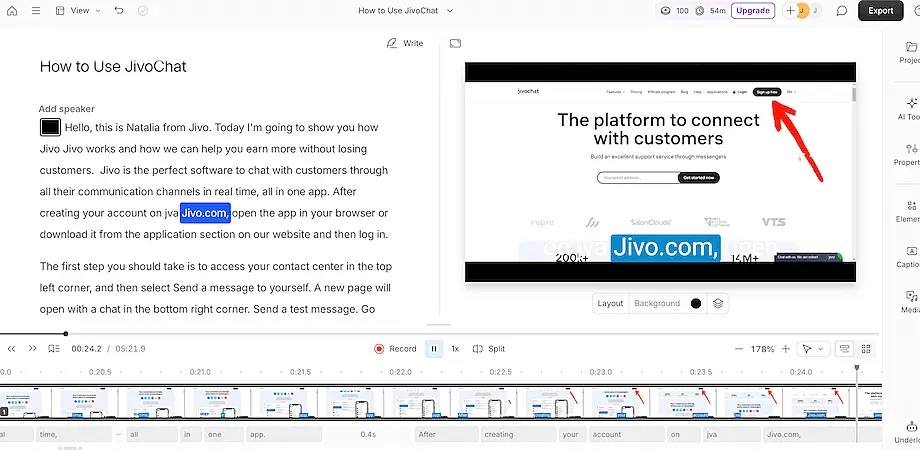 Automatic subtitle generator - Descript
Descript provides an easy-to-use automatic subtitle generator. To enjoy it, first, you need to create an account on the platform, then select the plan that suits your needs. The good news is that there is a free plan, and it includes the subtitle feature.
After that, you will have to create a new project, then upload a video or record a new one directly on the website. You also have the option to paste a link from a YouTube video, and it will be uploaded for you.
Then, all you have to do is click to generate the subtitles, and Descript will add them automatically. It just takes a few seconds. After that, you can review the generated text and correct mistakes, such as misspelled words. You can also choose the caption style and personalize the size, font, and colors.
Key features:
- Auto-generated transcript
- Translate videos in more than 20 languages
- Text-based editing
- AI video editing assistant
- Remove retakes
- Remove background
- Turn a single video into multiple clips
- Pre-made video templates
- Fix audio errors
- Enhance voices
- Filler word removal
2. Transkriptor
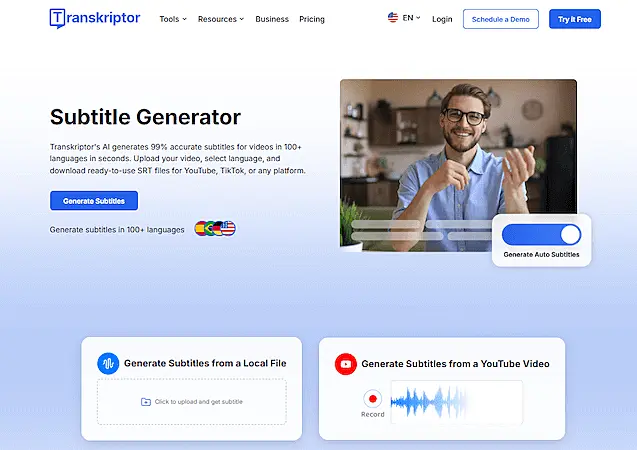 Automatic subtitle generator - Transkriptor
Transkriptor makes subtitle creation fast and effortless with its clean, user-friendly interface. To get started, simply create a free account and upload your video file—or paste a link if your content is hosted online.
Once your video is added, Transkriptor will prompt you to choose from its AI-powered tools, including the Subtitle Generator. Select your preferred language and click "Generate Subtitles." In just a few moments, the platform will automatically produce accurate, time-synced subtitles.
You can also translate your subtitles into multiple languages instantly, making your content accessible to global audiences. For more control, Transkriptor allows easy editing in its built-in subtitle editor, so you can adjust timing, correct lines, or fine-tune formatting before exporting.
Key features:
-
Automatic subtitle generation
-
Advanced AI speech-to-text engine
-
Subtitle editor with timeline and timestamp controls
-
Multi-language subtitle translation
-
Multiple subtitle export formats (SRT, VTT, TXT)
3. RecCloud
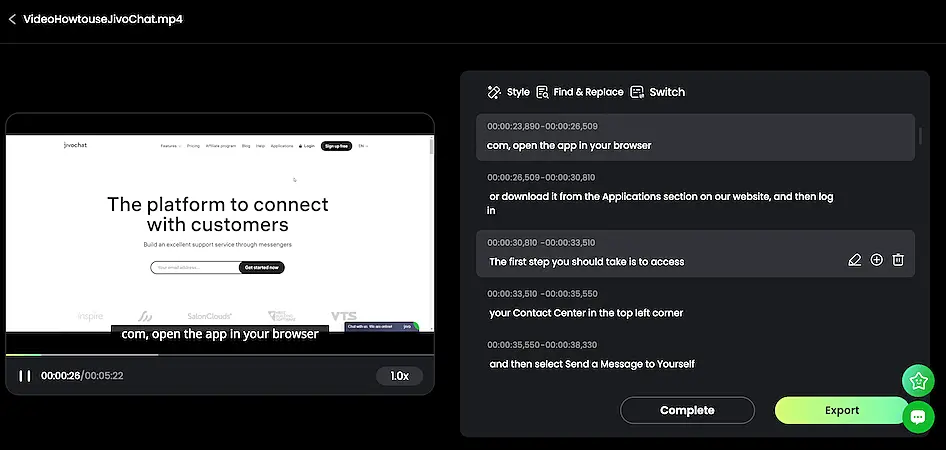 automatic subtitle generator reccloud
With RecCloud, getting automatic subtitles for your videos is a simple task. All you have to do is upload a video and click on "generate". Once the subtitles are ready, you will see them on the video and the whole text on the side of the screen, so you can edit them as you wish.
It's possible to delete lines, include sentences, and correct words. You can also customize the time when the subtitle must appear and disappear. RecCloud allows you to create a free account and work on your projects using it; however, you need to have a paid subscription to be able to download the videos.
Another advantage of RecCloud is that it has several other AI-powered tools, such as the AI video translator. It allows you to translate video content in multiple languages. You can enjoy the AI text-to-speech as well to create natural and clear speeches.
Key features:
- AI subtitle
- AI video translator
- AI speech-to-text
- Extract audio
4. VEED.IO
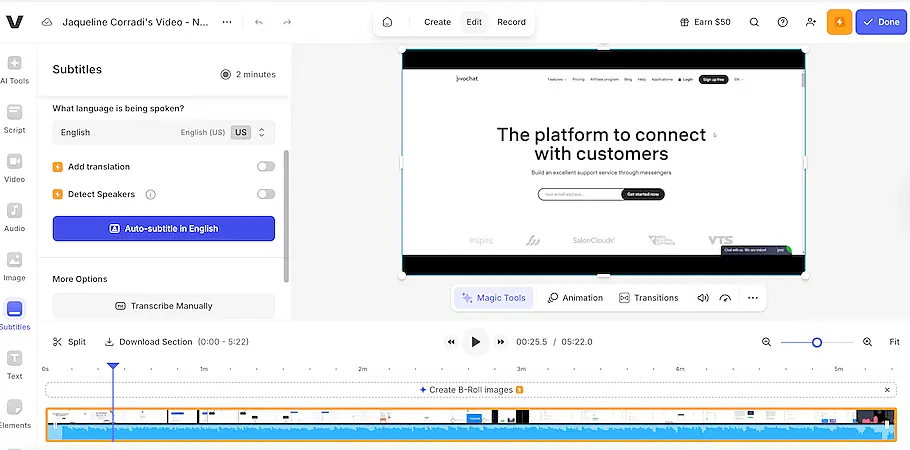 Automatic subtitle generator - VEED.IO
VEED.IO is an online, free automatic subtitle generator, which gives you different options to add subtitles to your videos. You can insert them permanently by rendering them into the video or downloading them as a separate file in different formats, such as SRT, VTT, and TXT.
Its auto-subtitle maker uses artificial intelligence to generate subtitles with accuracy. It can also be used as a transcription tool and for speech recognition. To create the subtitles, you just need to upload the video, click on " Auto Subtitle", then "Export", but you can review and edit first.
It's also possible to translate texts and to provide subtitles in different languages. The VEED's PRO plan includes an auto-translator to make it even easier.
Key features:
- Online and free automatic subtitle generator
- Artificial intelligence-powered
- Save the subtitles in different file formats
- Translate the subtitles to different languages
5. Kapwing
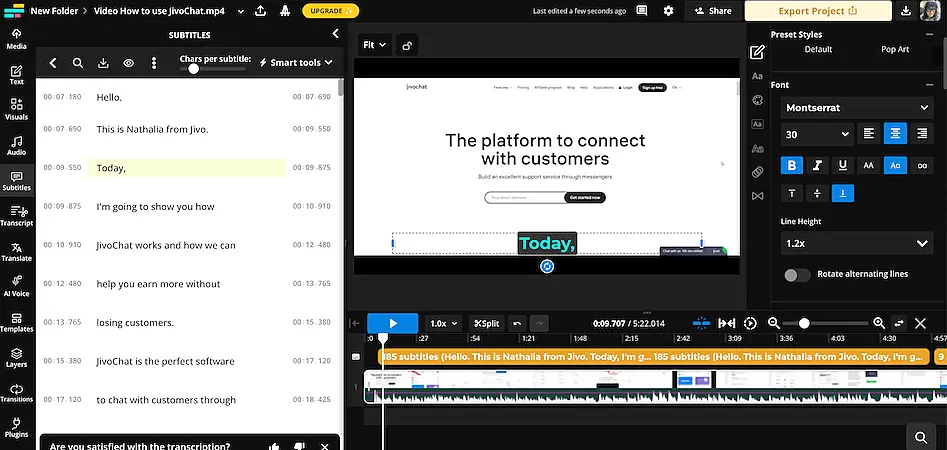 Automatic subtitle generator - Kapwing
With Kapwing, you can add subtitles to your video without having to download any software to your computer. You will upload the video directly to the website, click to edit it, and choose the option of generating subtitles using AI.
After the subtitles are generated, you can review, edit, and personalize their design, for example, by choosing the font, colors, size, position, and background. If you prefer, it's also possible to add the subtitles manually.
Kapwing's automatic subtitle generator has a free version. It won't add any watermarks when you export them. You just have to create an account on its website; however, it allows you to export only videos that last less than 4 minutes. The videos you save will be stored on the cloud, so you won't risk losing them.
Key features:
- Free automatic subtitle generator
- AI-powered
- Cloud-based
- No watermark
6. Happyscribe
 Automatic subtitle generator - Happyscribe
HappyScribe has a user-friendly interface, which makes it even easier to generate subtitles. First, you need to create an account, which can be done for free. Then, you will see the option to upload a video or paste its link.
After you do that, Happyscribe will suggest that you try one of their popular tools, including the option to create subtitles. Choose this one, select the language, and click on "create subtitles". Your subtitles will be ready in a few seconds.
You can automatically translate and add subtitles in multiple languages, including French, Spanish, and German. Happyscribe also provides a human-made subtitles service in its premium plan.
Key features:
- Automatic subtitles
- AI-powered
- Visual Timeline and Soundwave
- CPS management
- Multiple export formats

